
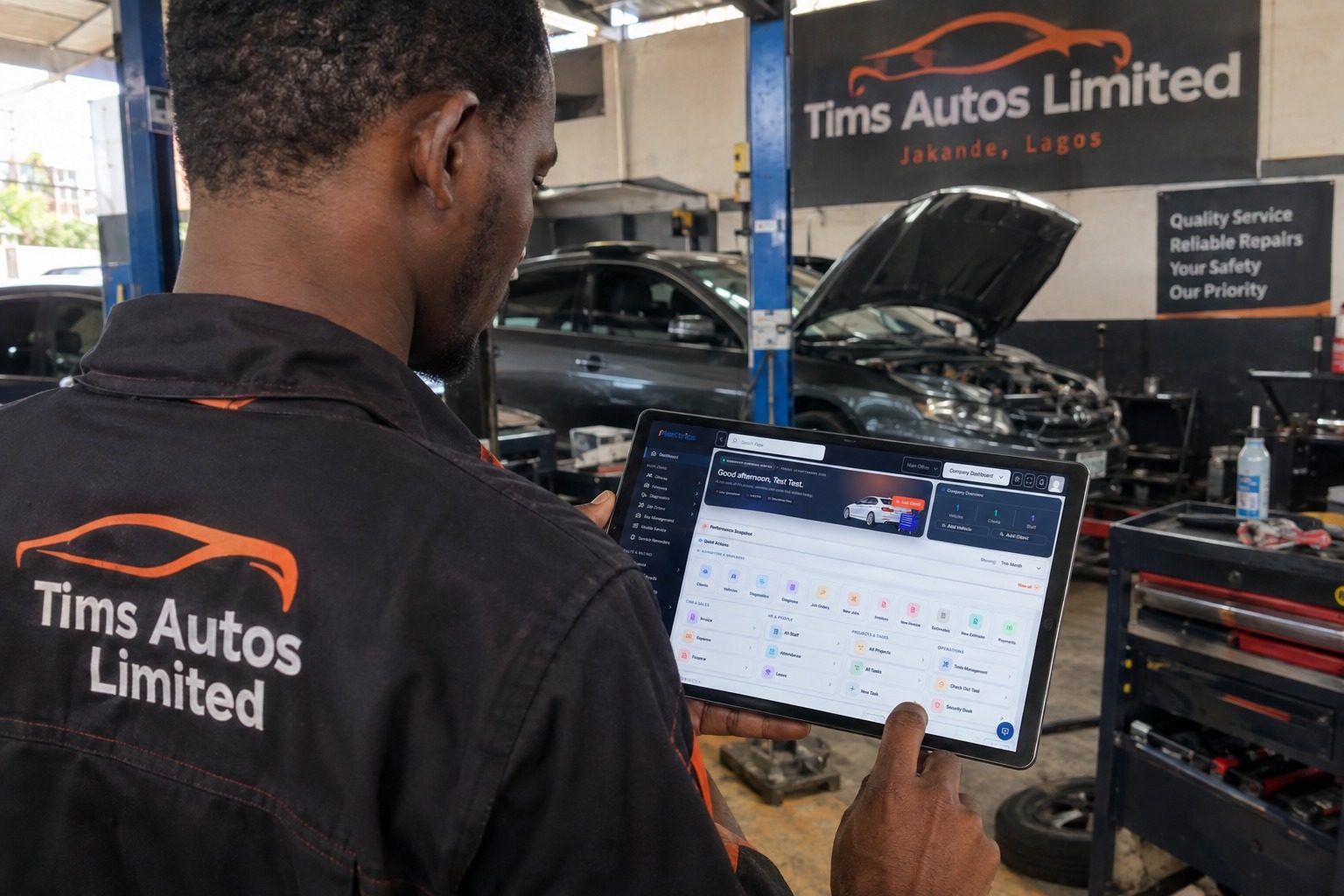
- A busy mechanic workshop can be a good sign.
More vehicles are coming in. More customers are calling. Technicians have work to do.
But growth can also create new problems.
When a workshop becomes busy, it can become difficult to:
Know which vehicle should be worked on next
Keep track of every repair job
Assign technicians properly
Prevent vehicles from being forgotten
Know which jobs are waiting for parts
Keep customers updated
Control spare parts
Track payments
Maintain quality
Complete jobs on time
Understand whether the extra workload is actually profitable
This is why managing a busy mechanic workshop requires more than simply having good mechanics.
You need a repeatable operating process.
The objective is to create a workshop where everyone knows:
What needs to be done.
Who is doing it.
What stage the job is at.
What is needed to complete it.
What the customer has approved.
When the vehicle should be ready.
This guide explains how to organize a busy auto repair workshop and create a workflow that can scale.
Why Busy Workshops Become Difficult to ManageWhen a workshop is small, the owner may personally know almost everything happening inside the business.
They may know:
Which customer owns each vehicle
What each technician is working on
Which parts were purchased
Which jobs are urgent
Which customers have paid
Which vehicles are waiting
As the workshop grows, that becomes harder.
Imagine a workshop with:
10 technicians
8 active vehicles
4 additional vehicles waiting outside
Several customers calling for updates
Multiple jobs waiting for parts
New vehicles arriving throughout the day
One person cannot reliably keep all of that information in their head.
The workshop needs a system.
1. Create a Clear Vehicle Check-In ProcessEvery vehicle entering the workshop should go through a consistent process.
At minimum, record:
Customer name
Phone number
Vehicle make
Vehicle model
Registration number
Mileage
Customer complaint
Date and time received
Vehicle condition
Initial observations
This creates a starting point for the repair.
It also helps prevent confusion when several similar vehicles are in the workshop.
A good check-in process should answer:
2. Use a Job Card for Every RepairWhat vehicle is this, who owns it, why is it here and what does the customer want us to do?
Every active repair should have a job record.
The job card should contain information such as:
Customer complaint
Inspection findings
Diagnosis
Recommended work
Parts required
Labour
Assigned technician
Job status
Customer approval
Additional notes
This becomes the central record for the repair.
If your workshop is still using paper job cards, our previous guide covers the difference between digital job cards and paper job cards in more detail.
The important thing is consistency.
If one repair has detailed documentation and another exists only in someone's memory or WhatsApp conversation, managing the workshop becomes much harder.
3. Give Every Job a Clear StatusA busy workshop needs to know where every vehicle is in the process.
You can create simple statuses such as:
New
The vehicle has arrived and the job has been created.
Awaiting Inspection
The vehicle has not yet been inspected.
Under Diagnosis
The technician is investigating the problem.
Awaiting Approval
The recommended work has been sent to the customer.
Awaiting Parts
The customer has approved the work, but required parts aren't available.
In Progress
The repair is currently being performed.
Quality Check
The repair is complete and the vehicle is being tested.
Ready for Collection
The vehicle is ready for the customer.
Completed
The job has been closed.
These statuses make it easier to see what is happening without asking every technician individually.
4. Assign Jobs to TechniciansOne of the biggest problems in a busy workshop is unclear responsibility.
A vehicle arrives.
Everyone knows something needs to be done.
But who is actually responsible?
Assign every repair to a technician or team.
Consider:
Technician skill
Job complexity
Current workload
Availability
Required tools
Required equipment
For example:
Vehicle A — Engine diagnosis — Technician 1
Vehicle B — Brake repair — Technician 2
Vehicle C — Electrical diagnosis — Technician 3
Vehicle D — Routine service — Technician 4
This gives everyone clearer responsibility.
It also helps managers identify overloaded or underutilized technicians.
5. Don't Start Repairs Without Customer ApprovalA workshop can waste considerable time when technicians begin work before the customer has approved the required repair.
A better process is:
Inspection
↓
Diagnosis
↓
Estimate
↓
Customer approval
↓
Repair
This is particularly important when additional problems are discovered after the initial inspection.
For example:
A customer brings a vehicle for brake service.
During inspection, the technician discovers worn suspension components.
Don't simply repair everything automatically.
Document the additional findings and communicate them to the customer.
The customer can then decide what work to approve.
6. Manage Parts Before Assigning the JobA common workshop problem is starting a repair only to discover later that an important part is unavailable.
Before committing a job to the repair schedule, check:
Required parts
Current stock
Supplier availability
Expected delivery time
Alternative parts where appropriate
If a job is waiting for a part, make that visible.
Don't allow a vehicle to sit in a bay while everyone assumes someone else is handling the part.
This is where proper spare parts inventory management becomes important.
7. Organize Your Workshop BaysYour workshop bays are valuable operational resources.
A vehicle occupying a bay is consuming space that could potentially be used for another job.
That doesn't mean every vehicle should be rushed through.
It means bay allocation should be deliberate.
Consider creating separate areas for:
Inspection
Diagnosis
General repair
Heavy repairs
Quality control
Completed vehicles
Vehicles waiting for parts
The exact layout depends on the size and type of workshop.
The principle is simple:
8. Separate Active Jobs From Waiting JobsKnow why every vehicle is occupying workshop space.
Not every vehicle inside the workshop is actively being repaired.
Some may be:
Waiting for inspection
Waiting for approval
Waiting for parts
Waiting for payment
Waiting for collection
These should not all appear as if they are actively consuming technician time.
For example:
10 vehicles inside workshop
doesn't necessarily mean:
10 vehicles currently being repaired.
You might actually have:
3 under repair
2 awaiting parts
2 awaiting approval
1 awaiting inspection
2 ready for collection
That is much more useful operational information.
9. Communicate With Customers Before They Call YouOne of the easiest ways to make a busy workshop feel disorganized is poor communication.
A customer doesn't necessarily expect their vehicle to be repaired instantly.
They do expect to know what is happening.
Provide updates when:
The inspection is complete
A diagnosis has been confirmed
An estimate is ready
Additional work is discovered
Parts have arrived
The repair has started
The vehicle is ready
Good communication reduces unnecessary calls and builds trust.
Your workshop should know what information customers need at each stage.
10. Keep Customer and Vehicle HistoryA customer may return six months after a previous repair.
The workshop should ideally be able to answer:
What was repaired?
Which parts were replaced?
When was it repaired?
Who worked on it?
What did the customer pay?
Were there previous recommendations?
This is why vehicle history is so valuable.
Instead of treating every visit as a completely new transaction, the workshop builds a history around the vehicle.
That can improve both service quality and customer retention.
11. Create a Daily Workshop MeetingYou don't need a long meeting.
A short daily briefing can be enough.
Review:
Vehicles arriving today
Which new jobs are expected?
Vehicles currently under repair
What is being worked on?
Jobs waiting for parts
Which vehicles are blocked?
Jobs waiting for approval
Which customers need to respond?
Vehicles ready for collection
Which customers need to be contacted?
Problems
What is currently delaying the workshop?
This can take only a few minutes if your records are organized.
12. Monitor Jobs That Are Taking Too LongSome repairs naturally take longer than others.
The problem is not that a job takes time.
The problem is when nobody knows why.
If a vehicle has been open for several days, ask:
Is diagnosis incomplete?
Are we waiting for parts?
Is customer approval missing?
Is the technician overloaded?
Is additional work required?
Is there a technical complication?
Has the vehicle been forgotten?
Long-running jobs should be visible.
Otherwise they can quietly consume workshop capacity.
13. Reduce ReworkA repair that has to be repeated costs the workshop.
It may consume:
Technician time
Parts
Bay space
Customer goodwill
Management time
Create a quality-control step before returning the vehicle.
Depending on the repair, this might include:
Test drive
Diagnostic scan
Visual inspection
Fluid check
Road test
Confirmation that the original complaint has been resolved
The exact process should match the type of repair.
14. Track Your Workshop KPIsOnce your workshop has a consistent workflow, start measuring it.
Useful KPIs include:
Repair orders completed
Average repair order
Revenue
Gross profit
Parts margin
Technician productivity
Jobs waiting for parts
Estimate approval rate
Outstanding customer balances
Customer return rate
These numbers can tell you where the workshop needs attention.
For example:
Many jobs, low revenue
You may need to investigate job value and pricing.
High revenue, low profit
Look at parts costs, labour costs and operating expenses.
Many vehicles waiting for parts
Look at inventory and purchasing.
Technicians frequently idle
Look at job assignment, approvals, parts and workflow.
Large outstanding balances
Review payment policies and collection processes.
KPIs should support management decisions, not become numbers that nobody uses.
15. Keep Your Inventory OrganizedA busy workshop can quickly lose control of parts.
Create a system for:
Parts received
Parts stored
Parts issued
Parts returned
Parts used
Parts adjusted
Parts reordered
Organize frequently used parts so technicians can find them quickly.
For a deeper look at this process, see our guide on how to manage spare parts inventory in an auto repair workshop.
16. Keep Tools and Equipment AccountableParts aren't the only physical resources that need management.
Tools and workshop equipment also affect productivity.
Depending on your operation, you may need to track:
Diagnostic scanners
Jacking equipment
Torque wrenches
Special tools
Battery chargers
Compressors
Lifts
Welding equipment
A technician waiting for a missing or unavailable tool is still lost workshop time.
Establish clear procedures for tool usage, storage and maintenance.
17. Standardize Common RepairsIf your workshop repeatedly performs the same services, standardize the workflow.
Examples include:
Oil service
Brake service
AC servicing
Battery replacement
Suspension work
Diagnostic checks
A standardized process can define:
Inspection
Diagnosis
Parts
Labour
Quality check
Customer handover
This reduces unnecessary variation and makes training easier.
18. Don't Let WhatsApp Become Your Workshop Management SystemWhatsApp can be useful for communicating with customers, suppliers and staff.
But conversations are not a complete workshop management system.
Important information can become buried among:
Photos
Voice notes
Customer messages
Supplier conversations
Payment confirmations
General team discussions
Use communication tools for communication.
Use your workshop-management system for structured business records.
For example:
WhatsApp: “The customer says they approve the repair.”
Workshop system: Approved repair recorded against the correct job and vehicle.
The distinction matters.
19. Make Payments and Invoices Part of the WorkflowA completed repair should move naturally toward invoicing and payment.
A simple process is:
Repair completed
↓
Quality check
↓
Invoice
↓
Payment
↓
Vehicle collection
↓
Job closed
This reduces the chance of completed jobs being forgotten.
It also makes it easier to track outstanding balances.
20. Use Digital Workshop Management as You GrowPaper systems can work when the workshop is very small.
But managing a growing workshop through notebooks, loose job cards, spreadsheets and WhatsApp conversations becomes increasingly difficult.
Digital workshop management can connect:
Customers
Vehicles
Job cards
Inspections
Technicians
Parts
Estimates
Invoices
Payments
Appointments
Vehicle history
Reports
Instead of asking several people for different pieces of information, managers can work from a shared operational record.
A Simple Workflow for a Busy Mechanic WorkshopA well-organized workshop can follow a process like this:
Step 1 — Vehicle arrival
Record customer and vehicle information.
Step 2 — Job creation
Document the customer's complaint.
Step 3 — Inspection
Technician examines the vehicle.
Step 4 — Diagnosis
Determine the likely cause of the problem.
Step 5 — Estimate
Prepare the recommended repair and cost.
Step 6 — Customer approval
Record what the customer approves.
Step 7 — Parts preparation
Confirm that required parts are available.
Step 8 — Technician assignment
Assign the repair to the appropriate technician.
Step 9 — Repair
Complete the approved work.
Step 10 — Quality control
Confirm that the repair has been completed correctly.
Step 11 — Invoice
Generate the final invoice.
Step 12 — Payment
Record payment and any outstanding balance.
Step 13 — Handover
Return the vehicle to the customer.
Step 14 — Close the job
Save the completed repair as part of the customer's vehicle history.
This workflow can be adapted to the size and type of workshop.
How to Manage Multiple TechniciansAs your team grows, avoid relying entirely on verbal instructions.
Every technician should know:
Which vehicle they are working on
What the customer complaint is
What diagnosis has been made
What work has been approved
Which parts are required
What the job status is
What needs to happen next
This reduces confusion and makes responsibility clearer.
A digital job-management system can make these assignments easier to track.
How to Manage a Workshop With Multiple BranchesThe management challenge increases when you have more than one location.
You may need visibility into:
Jobs by branch
Revenue by branch
Technicians by branch
Inventory by branch
Customers by branch
Outstanding balances
Branch performance
A multi-branch operation benefits from having standardized workflows and centralized reporting.
Otherwise, every branch can gradually develop its own process, making the business harder to manage consistently.
What Does a Well-Managed Workshop Look Like?A well-managed workshop isn't necessarily one where everyone is constantly busy.
It is one where the work is visible and controlled.
You should be able to answer:
What vehicles are here?
What does each vehicle need?
Who is working on each job?
What has the customer approved?
Which parts are required?
Which jobs are waiting?
Which vehicles are ready?
Who has paid?
What is still outstanding?
How is the workshop performing?
If you cannot answer these questions without asking several people, there may be an opportunity to improve your workshop processes.
How Mektrics Can Help Manage a Busy WorkshopMektrics is built around the idea that workshop operations should be connected rather than scattered across separate records.
A workshop can manage information relating to:
Customers
Vehicles
Job orders
Inspections
Technicians
Parts
Estimates
Invoices
Payments
Appointments
Staff
Vehicle history
Workshop performance
That creates a workflow such as:
Customer
↓
Vehicle
↓
Job
↓
Inspection
↓
Estimate
↓
Approval
↓
Parts + Labour
↓
Repair
↓
Invoice
↓
Payment
↓
Vehicle History
This becomes increasingly valuable as the workshop grows.
The goal isn't to make the workshop more complicated.
The goal is to make the operation more visible, organized and repeatable.
Frequently Asked QuestionsHow do I manage a busy mechanic workshop?
Create a consistent workflow for vehicle check-in, inspection, diagnosis, estimates, approvals, technician assignment, parts, repair, quality control, invoicing and payment. Track every active job and its current status.
How do I manage multiple mechanics?
Assign each repair to a specific technician or team, make the approved work clear, track job progress and monitor workload so that responsibility is visible.
How can I reduce delays in my workshop?
Identify why jobs are delayed. Common causes include waiting for parts, customer approvals, technician availability, unclear instructions and poor job scheduling.
How can I keep customers updated?
Provide updates at important stages such as inspection, diagnosis, estimate approval, parts arrival, repair completion and vehicle readiness.
Should I use software to manage my mechanic workshop?
Software becomes increasingly useful as the number of customers, vehicles, technicians and repair jobs grows. It can centralize customer, vehicle, job, inventory, invoicing and payment information.
How do I improve mechanic workshop productivity?
Start by identifying where technician time is being lost. Track jobs, parts availability, approvals, technician workload and repair times. Then address the biggest bottlenecks.
How do I organize a mechanic workshop?
Create clearly defined areas for vehicle check-in, inspection, active repairs, vehicles waiting for parts and completed vehicles. Combine this physical organization with a consistent digital or paper workflow.
Final ThoughtsA busy workshop can quickly become chaotic if its processes don't grow with the business.
More customers mean more vehicles.
More vehicles mean more jobs.
More jobs mean more technicians, parts, estimates, invoices and customer communication.
Eventually, simply remembering what is happening isn't enough.
You need a system.
Start by creating a consistent process for every vehicle that enters your workshop.
Check in the vehicle.
Create the job.
Inspect it.
Diagnose it.
Prepare the estimate.
Get approval.
Prepare the parts.
Assign the technician.
Complete the repair.
Check the work.
Invoice the customer.
Record payment.
Close the job.
When that process is consistent, your workshop becomes easier to manage, easier to measure and easier to grow.
And when those records are digital, the information generated by every repair can become part of a much larger picture of your business.
A busy workshop doesn't just need more workers. It needs better systems.
Mektrics helps auto repair businesses bring customers, vehicles, jobs, technicians, parts, invoices and payments into one connected workshop-management system.
Ready to organize your workshop? Explore Mektrics and start building a more structured repair workflow.

0 Comments